Showing posts with label help. Show all posts

Join us! Families in the Philippines Need Your Help


Tumblr Staff and Tumblog-it!  supports and shares with you this beautiful message:

In a matter of hours on Friday, Typhoon Haiyan completely devastated parts of the central Philippines. It was one of the strongest storms ever recorded. The death toll is estimated up to 10,000 with hundreds of thousands more displaced. The country has declared a “state of calamity.”

To all our friends and family in the Philippines, our hearts and thoughts are with you — and we want to make sure you’re aware of the online resources to find loved ones or request rescue.

- Visit www.wfp.org to Donate Online -


Blogs and Websites you must follow!


Hello Everyone! If your looking for tools, themes and Tumblr blogs that keep you update I have a few suggestions that will help you. This websites and blogs are completely free for everyone.

[We're not affiliate with any of this pages, Tumblog-it wants to share helpful information with Tumblr users, if you do not wish to have your website/blog in this post, please write us a private message HERE, and it will be remove.]

1. staff.tumblr.com: this is the official Tumblr blog, is good to be update of everything that happens with Tumblr. The blog contains features, exploration map, spotlights, meetups and more from your Tumblr Staff. If you love the Meetups from Tumblr, this a must-follow blog.

2. themeaddicted.tumblr.com: is a great all-theme blog. It post daily about all kinds of themes (single column, mixed columns, decorative themes, etc). The blog allows questions and it has a theme maker sign up.

3. tumblrplug.com: promote yourself, why not? Is FREE! Tumblrplug is a well know website for helping promote Tumblr blogs for free. Is easy to use and thousands of Tumbloggers use it, give it a try!

4. html-and-etc.tumblr.com: this is a well-know website for all the tutorials, html, materials and tools they share with tumblr and non-tumblr users. The website is moderate it, allows questions and is completely free!

5. Tumblr on your phone! yes cause we cannot have enough of Tumblr in one pc. You can install the Tumblr application from Google Play  and for IPhone users at Tumblr for IPhone.com. This applications are easy to install-and-use.

6. CrunchBase: want to know about Tumblr on the Financial Side? CrunchBase is a free database of technology companies, people, investors, anyone and anything! The mission? To inform how much the company or person is worth and all the updates made financially.


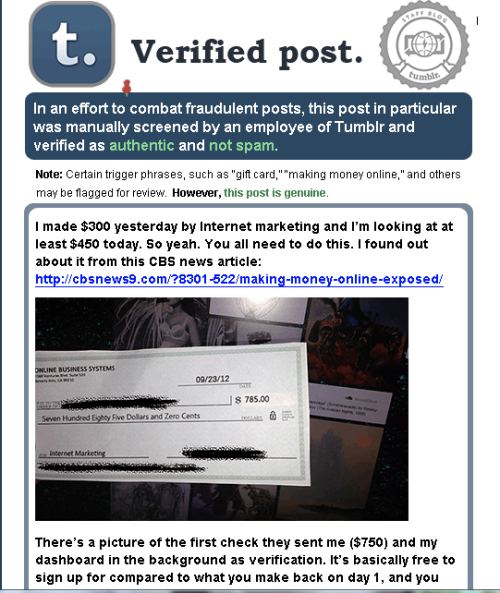
"Random Tumblr Spam" Helpful Tips

Hello Everyone! I notice a lot of Tumblr users are having this "Random Tumblr Spam", the spam just "appears" on your blog and is extremely annoying. Here's a few tips to fight back this annoying pain in the lower back spam:

DO NOT click on the link the photo have. It you click on the picture it has a big chance of your Tumblr account getting hack. Also tell your followers to not click on the Spam photos.

• Contact Tumblr Support as soon as possible to fix your blog. Click HERE it will take you directly to the help support page. If you don't see the contact email, simply type "support" on the search bar.

• Change your Blog password. If you have more than one account, change their passwords also. Here are some ideas of how to choose a good password.

• Uncheck the "Let people look me up by this address" in the Blog Settings. How to get there? click HERE for the tutorial.

• On Blog Settings - the application tab revoke anything that looks suspicious.

• I don't know if this one will work but I read into it, and you can try it: "In your settings go to your blog name link on the left hand side then scroll down and locate the ‘Post by Email’ section. Click reset." by punkatheistmomma

• Delete all the "Random Spam Post" made.

I have contact Tumblr Support and yes - you must change your HTML theme.
"If your blog is showing a fake Tumblr login page, a fake age verification, or anything other than your normal blog theme, it is recommend it to change your theme. Click the Themes button. Choose a new theme. Click the Use button. And, click the Save button." - by Tumblr Support


Tumblr Acting Weird? Tumblr pages not loading properly. Quick Tips!

Hello Everyone! I notice a lot of people having the same problem on Tumblr. The Tumblr website doesn't wanna load properly. If you're having this problem try the following solutions it might help you out:

• Refresh the page 1-3 (or more) times to see if it loads properly.
• Disable all your extensions on your browser: Google Chrome, Firefox or Internet Explorer.
• Delete the cookies of your browser.
• Do you have the latest version of flash and java downloaded? Make sure your browser have the latest updates in flash and java. If you're using Google Chrome the flash updates are automatically.
• Try opening another browser from your main to see if Tumblr loads properly. For example if your main browser is Google Chrome try Firefox or Internet Explorer.
• If you have any Dashboard Background - remove it.
• This problem occurs sometimes when the Missing-E affects Tumblr, if you have the extension Missing-E disable it or uninstall it.
• If none of this options work, contact Tumblr Support and note that you try all the options before but didnt' work. How to find Tumblr Support? Go HERE and scroll the page down -- and click on Contact Support.
• Good Luck!

Update: I was searching for more solutions to this problem and I found a new method for FIREFOX users. By Ericson Villamin on Yahoo.com.

1. Open firefox
2. Type about:config on your search bar.
3. You will see a list of preference
4. Reset all highlighted (bold) preferences to default. to do that right click and click reset.
5. Restart browser